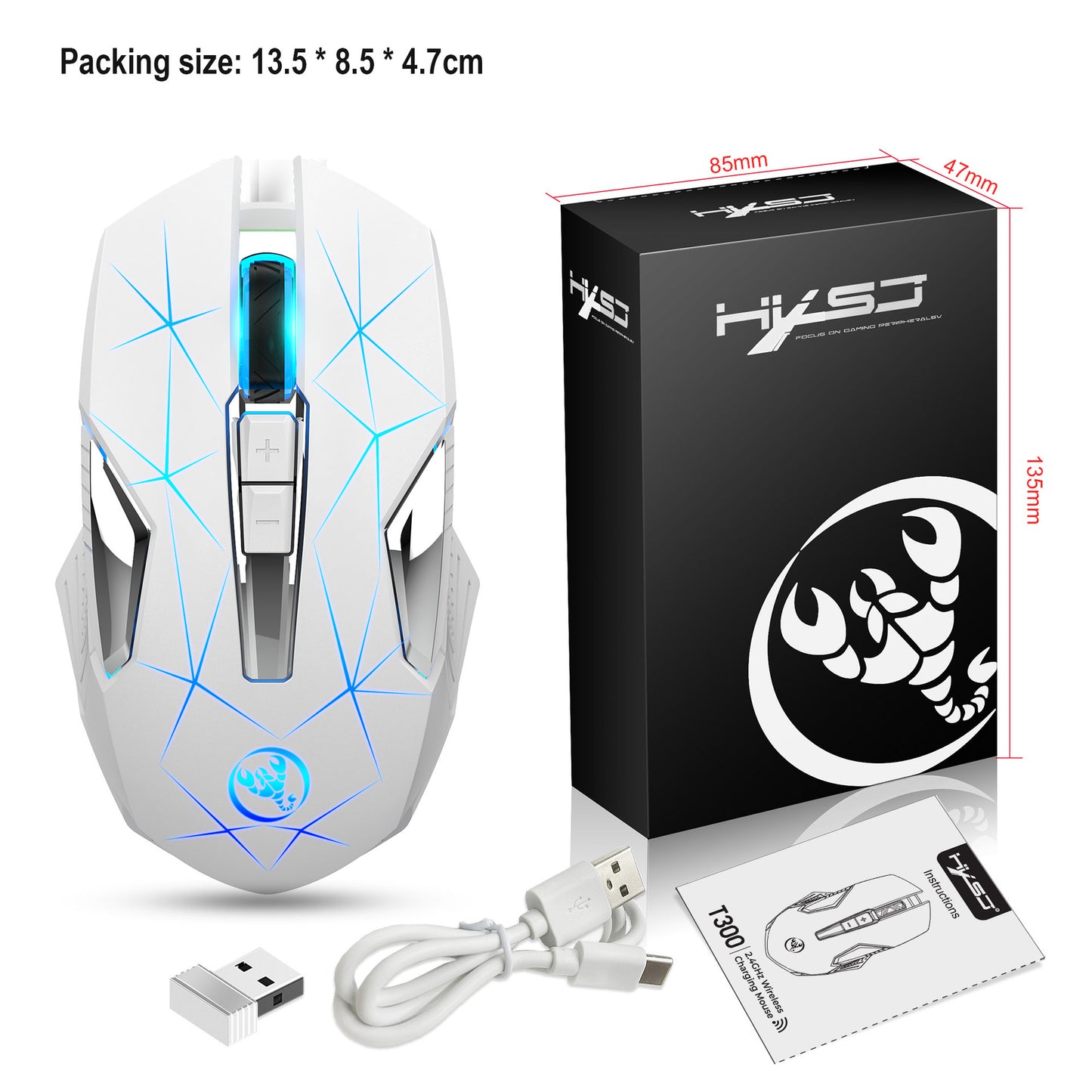
1
/
of
6
Colorful Backlit Wireless 2.4G Mouse
Colorful Backlit Wireless 2.4G Mouse
Regular price
$25.00 USD
Regular price
Sale price
$25.00 USD
Shipping calculated at checkout.
No reviews
🚚 FREE SHIPPING ON ALL ORDERS! 📦
Quantity
Couldn't load pickup availability
The Wireless 2.4G Mouse is designed for both home office and business use, providing a stylish and functional solution for your computing needs. Its vibrant 7-color backlight adds a touch of flair while enhancing visibility for nighttime use.
- Connection Method: 2.4G wireless technology for a reliable connection.
- Rechargeable Battery: Equipped with a built-in 600mAh lithium battery for long-lasting use.
- Accurate Tracking: Features professional IC positioning accuracy for seamless navigation.
- Wireless Range: Operates within a 10-meter receiving distance, allowing for flexible movement.
- DPI Adjustment: Three-speed DPI settings (1000/1600/2400DPI) for customizable sensitivity.
- Durable Design: Acoustic switch rated for 10 million keystrokes, ensuring longevity.
- Power Saving: Automatic sleep mode helps conserve battery life.
- Colorful Lighting: Cool breathing light design enhances aesthetics and visibility.
Product Parameters:
- Operation Mode: Opto-electronic
- Power Type: Rechargeable via Type-C interface
- Number of Keys: 7 keys
- Key Life: 10 million clicks
- Polling Rate: 250Hz for responsive performance
- Movement Speed: 28 inches/sec for smooth operation
- Refresh Rate: 3000FPS for quick response
- Acceleration: 10G for swift movements
- Lighting: Colorful glow
- Wireless Distance: 10m
- Battery Capacity: 600mAh
- Resolution: 1000/1600/2400DPI
- Rated Voltage/Current: 3.7V/10mA
- Charging Cable Length: 80cm (Type-C interface)
Compatibility:
- Applicable Systems: Windows (XP / Vista / 7 / 8 / Server 2003 / 2000 / 10) and MacOS (recommended macOS 10.10 and above)
- 2.4G Mode: Compatible with desktop computers, laptops, and smart TVs with USB interfaces.
Usage Steps:
- Turn on the power switch.
- Connect the hardware by inserting the USB plug into a USB 1.1 or newer port (first-time users will see a prompt for automatic hardware installation).
- Move the mouse; the computer screen pointer will respond, and the mouse will be ready for use.
Share