1
/
of
6
Programmable Gaming Mouse with RGB Lighting - 12800 DPI
Programmable Gaming Mouse with RGB Lighting - 12800 DPI
Regular price
$31.00 USD
Regular price
Sale price
$31.00 USD
Shipping calculated at checkout.
No reviews
🚚 FREE SHIPPING ON ALL ORDERS! 📦
Quantity
Couldn't load pickup availability
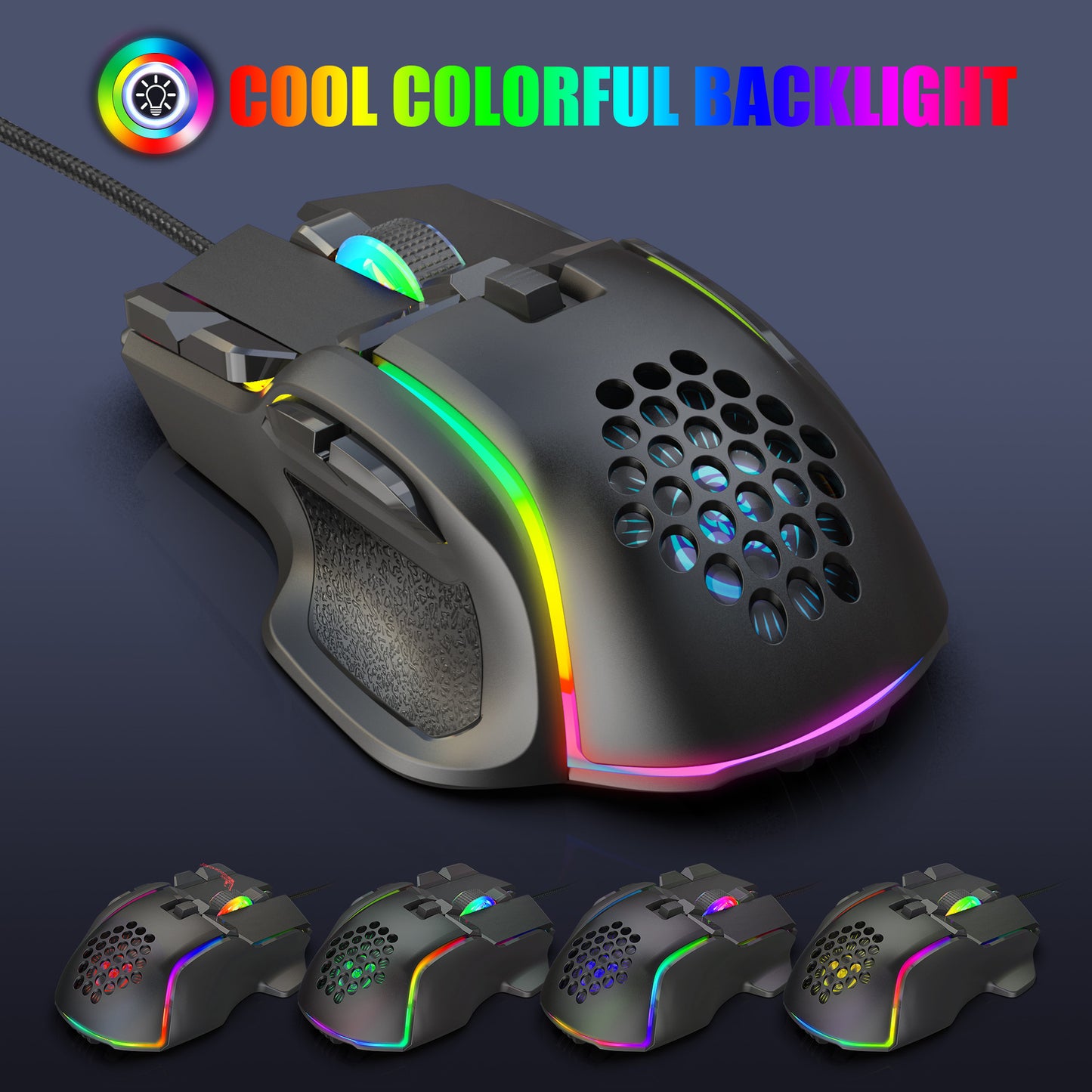
The Programmable Gaming Mouse is designed for gamers seeking precision and customization. With its advanced features and ergonomic design, this mouse enhances your gaming experience. Here are the key specifications and benefits:
- Product Model: S700 Programmable Gaming Mouse
- Condition: 100% brand new
- Design: High-end mechanical macro definition, ergonomically designed for comfort
- Programmable Keys: 10 customizable keys for enhanced gaming functionality
- Lighting: 13 RGB lighting modes to choose from
- DPI Settings: 6-level adjustable DPI, up to 12800 DPI for precise tracking
- Voltage: DC 5V / 180mA
- Polling Rate: Options of 120/250/500/1000Hz
- Speed: Capable of 60 inches per second movement speed
- Refresh Rate: 7000 FPS ensuring smooth movement
- Acceleration: 20G for quick responsiveness
- Connection: USB plug and play for easy setup
- Durability: Switch life rated for 20 million cycles
- Cable Length: 1.75 meters for flexibility
- Dimensions: 129 x 82 x 42 mm (±2mm)
- Compatibility: Supports Windows 2000/XP/Win7/Win8/Win10/Vista and 32-bit IOS or later
How to Use:
- Download the macro programming software from the seller's website.
- Open the software and customize button programming.
- Once the mouse is connected, use the S700 software to access macro functions.
- Utilizes an A826 IC professional gaming chip for smooth and precise control.
- Supports custom settings for buttons 1-10 as shown in the interface.
- DPI settings can be adjusted from default options: 1200/1600/2400/6400/7200/12800.
- Switch between 13 RGB lighting modes.
- Adjust pointer precision, wheel speed, and double-click speed through parameters.
- Create custom macro edits for gaming effects.
- After making settings, click Applications and then Save Configuration for future use.
Share